IN THE FIELD, AT THE OFFICE, ALWAYS WITH YOU.
Document it
once.
Not twice.
Photos, documents, remarks, annotations, voice notes and locations are organised from the field.


- Simple and intuitive
- Works offline
- Standard files
- Available in 5 languages

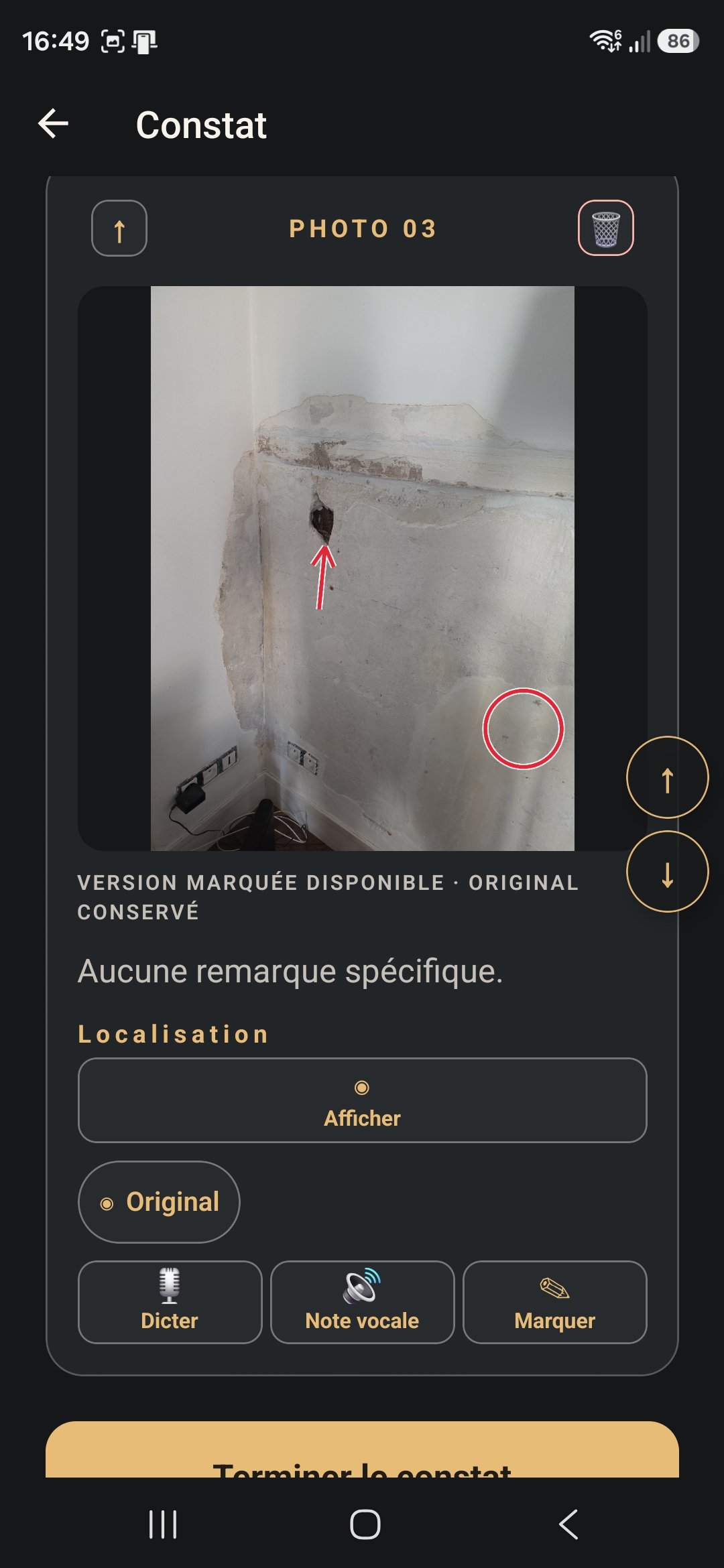
IN THE FIELD
Mark exactly
what matters.
Capture, import, dictate and annotate. Everything stays in place, originals are preserved, and even large folders remain quick to browse.
- Photos
- Documents
- Multiple import
- Dictation
- Voice notes
- Annotations
- Location
General / Reports organisation · Simple reordering
AT THE OFFICE
Prepare exactly
what you need.
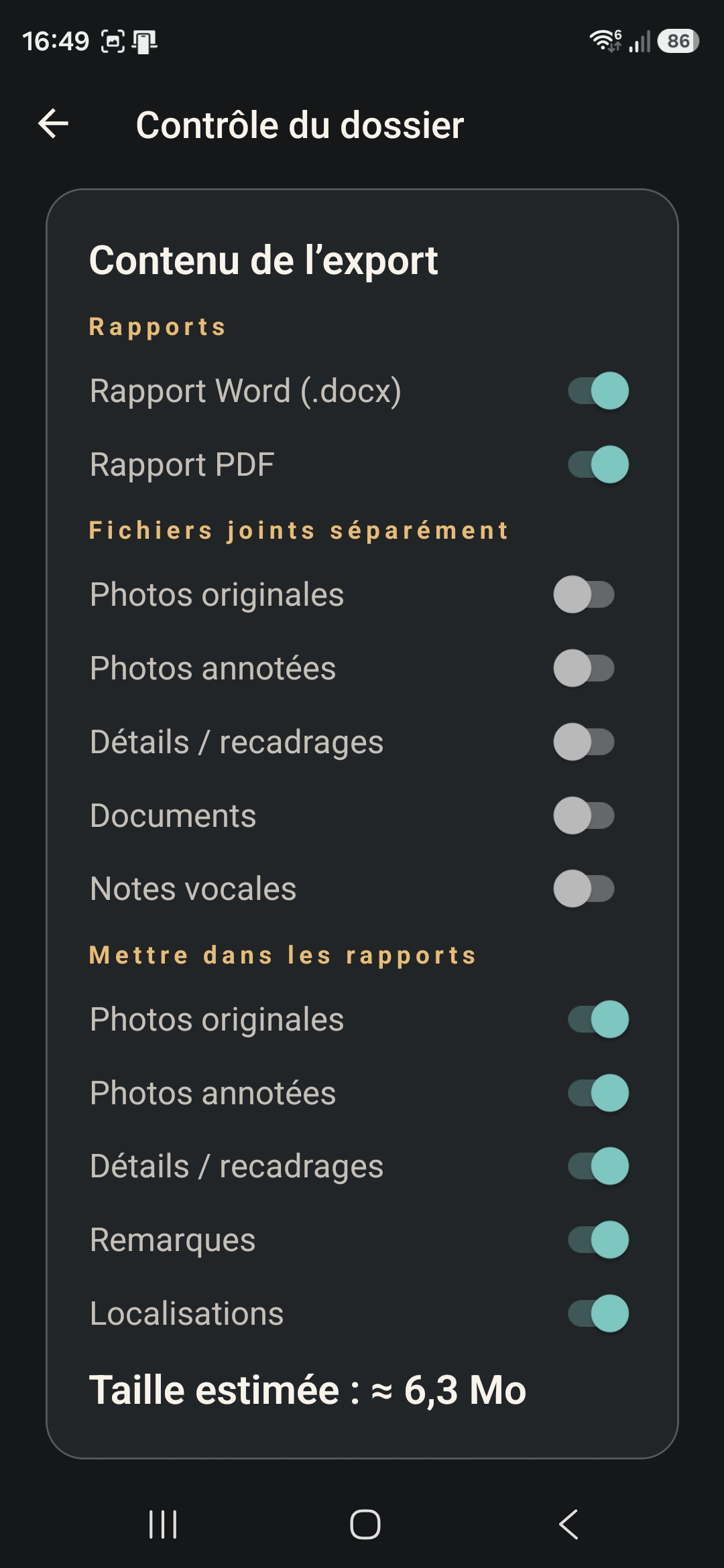
Editable Word report, ready-to-use PDF, photos, documents, voice notes and locations: choose what goes into your reports and what stays as a separate attachment.
- Reports
- Separate attachments
- Include in reports
From field to office, without re-sorting.
MAVRYNE 1.4.0
Everything MAVRYNE can do
Check the essentials at a glance.
Organise your folders
Folders, reports and general content stay structured. Reorder every item easily, even in large folders.
Photos and documents
Take photos or import multiple photos and documents. Originals are always preserved.
Remarks and voice notes
Type or dictate a remark, or record a voice note in the field.
Annotations and details
Arrows, shapes, text and cropped details show exactly what matters.
Location
Attach a location to the folder or useful items, then choose whether to include it in the report.
Folder review
Review the content and choose exactly what to prepare before exporting.
Word, PDF and exports
Generate an editable Word file or ready-to-use PDF, then save or share the export.
Security and privacy
Work data stays on the device and is shared only when you choose.
Who is it for?
For everyone who documents fieldwork.
- Expert assessment
- Construction
- Real estate
- Maintenance
- Architecture
- After-sales service
- Inspection
- Tradespeople
- Technical management
Pricing · Available on iOS and Android
Free Demo or Premium.
Every field feature in the Demo, with no time limit. Premium provides complete professional folders.
Monthly
24,99 € / month
Cancel anytime
Annual
239,99 € / an
Approximately €20 / month
Free Demo Mode
Try MAVRYNE with no time limit and up to 2 active folders. Explore the field workflow before upgrading to Premium.
 MAVRYNEFIELD ASSISTANT
Download MAVRYNE from your Store.
Choose your platform and start free with Demo Mode.
Need help? Contact MAVRYNEMAVRYNE is available on the App Store and Google Play.